

Compliance Built for Shopify POS Retail Workflows
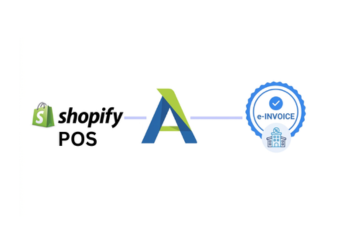
How Shopify POS Works With Smart Invoice
- Retail Sale Recorded: Completed transactions are captured through the Shopify POS environment during normal store operations.
- Transaction Information Gathered: Applicable product, customer, tax, quantity, and sales details are collected for processing.
- Fiscal Fields Prepared: Relevant retail information is organized into the required structure for the connected invoicing workflow.
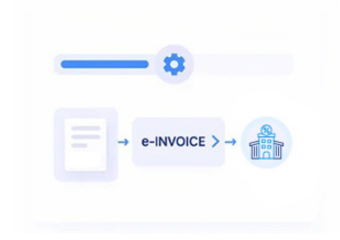
- Invoice Processing Started: Prepared transaction information moves through the applicable integration toward Zambia Smart Invoice.
- Response Details Returned: Available processing responses can be received and presented for appropriate operational review.
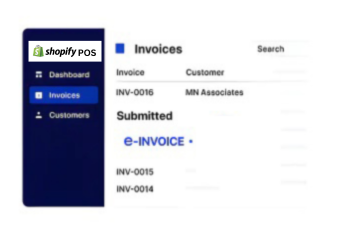
- Sales Records Linked: Relevant fiscal references can remain associated with originating Shopify POS transactions for later reconciliation.
What Advintek Adds To Shopify POS
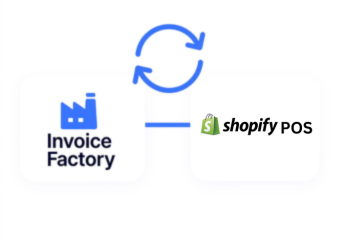
Advintek creates a fiscal processing connection around Shopify POS, allowing applicable retail transaction information to flow toward Zambia’s Smart Invoice environment while stores continue using their existing point-of-sale operations.
- Connects retail transactions with fiscal processing
- Maps relevant Shopify POS sales fields
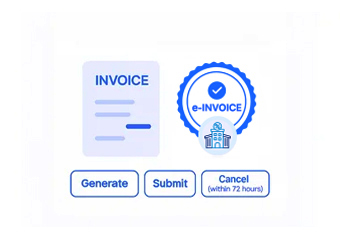
- Supports structured electronic invoice workflows
- Returns available processing information to businesses
Why Shopify POS Businesses Choose Advintek
- Checkout Remains Familiar: Store teams can continue using Shopify POS for everyday retail transactions while applicable fiscal processing takes place through the connected integration layer.
- Product Sales Stay Detailed: Product names, quantities, and applicable transaction information can provide useful detail when converting retail sales into structured invoice documentation.
- Multiple Transactions Stay Organized: Relevant sales records can retain their originating references, helping businesses distinguish individual retail transactions during reconciliation and internal financial review.
- Tax Information Travels With Sales: Applicable tax information can accompany transaction data during processing, helping create a more consistent connection between checkout activity and fiscal documentation.
- Customer Details Add Context: Where customer information is available and relevant, it can support clearer identification of the transaction represented within the invoice workflow.
- Store Records Remain Traceable: Fiscal processing references can be associated with source sales information, giving retail teams a clearer trail between checkout activity and processed documents.
Everything You Need for Zambia E-Invoicing Workflows in One Platform
Error Detection and Resolution Support
Review relevant sales information and processing activity through a connected workflow designed around Shopify POS transactions.
Dashboard and
Reporting
Follow available processing responses and document information after applicable retail transactions enter the Smart Invoice workflow.
Dedicated e-Invoicing Support
Compare fiscal documentation with originating Shopify POS sales records to support internal review and organized retail accounting.
Built For Shopify POS Retailers In Zambia
Advintek helps Shopify POS retailers connect everyday checkout activity with applicable Zambia Smart Invoice processes without replacing their established point-of-sale environment.
- Continue serving customers through Shopify POS
- Connect completed sales with fiscal workflows
- Organize product and transaction information
- Review available electronic document responses
Connect Retail Sales With Smart Invoice
Advintek links Shopify POS transactions with Zambia’s invoicing environment.
Shopify POS manages sales. Advintek supports fiscal processing.
Ready e-Invoice System
Frequently Asked Questions Shopify POS e-Invoicing Zambia
Does Shopify POS need a separate invoicing application for Zambia?
Not necessarily. The appropriate setup depends on the business’s existing systems and Smart Invoice integration approach. Advintek can provide a connected processing layer around Shopify POS, helping businesses determine how sales information should flow into the applicable Zambia fiscal invoicing environment.
How should retailers prepare Shopify POS before starting integration?
Retailers should first review their product catalog, tax configuration, transaction structure, store settings, and required business information. Advintek can assess these areas during implementation and identify the data that needs to be mapped, helping create a more reliable connection between Shopify POS and the fiscal workflow.
Can Shopify POS data be consolidated for management reporting?
Relevant retail transaction information can be organized alongside fiscal processing records to support internal reporting and reconciliation. Advintek can help establish relationships between Shopify POS sales and available electronic document information, giving businesses a more structured view of retail activity across their connected invoicing operations.
What role does VSDC have in a Shopify POS Smart Invoice setup?
The Virtual Sales Data Controller, or VSDC, serves as the bridge between a Certified Invoicing System and Zambia Revenue Authority’s Smart Invoice environment. Advintek can help businesses design the appropriate integration architecture around this connection when Shopify POS is part of the wider retail technology environment.
How can retailers identify failed fiscal invoice processing?
A connected workflow can capture available processing responses so retailers can identify transactions requiring attention. Advintek can provide visibility around applicable responses and exceptions, helping teams investigate problematic records, correct underlying information where appropriate, and continue the fiscal processing workflow without losing the original retail transaction reference.