

Compliance That Fits Microsoft Dynamics Business Central Users
From Microsoft Dynamics 365 Business Central To Fiscal Documents
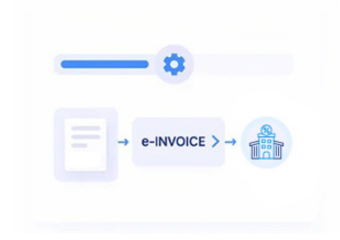
- Billing Events Selected: Finalized Business Central transactions are assessed to determine which records require fiscal document processing.
- Source Values Consolidated: Relevant customer, item, tax, quantity, and document information is assembled from applicable Business Central records.
- Invoice Structure Prepared: Selected information is transformed into organized electronic invoice data for the next processing stage.
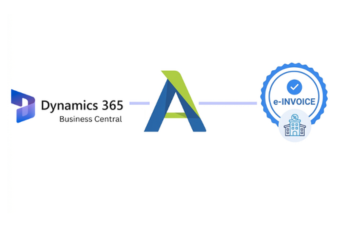
- Advintek Connection Activated: Prepared invoice information is passed through Advintek toward Zambia’s applicable electronic invoicing environment.
- Fiscal Feedback Recorded: Available responses and processing information are captured within the connected integration workflow.
- Accounting Trail Preserved: Relevant references can connect processed fiscal documents with their original Business Central transactions.
What Advintek Brings To Microsoft Dynamics 365 Business Central
Advintek adds a specialized fiscal connection around Microsoft Dynamics 365 Business Central, translating relevant commercial and accounting information into a workflow suited to Zambia’s electronic invoicing environment.
- Connects Business Central billing information
- Coordinates fiscal document transmission
- Organizes relevant transaction details
- Captures available fiscal responses
Where Microsoft Dynamics 365 Business Central Adds Billing Context
- Posted Documents Confirm: Finalized sales documents provide a stronger foundation for identifying transactions ready for fiscal processing.
- Customer Accounts Identify: Established customer records can supply consistent references for applicable invoice information.
- Item Masters Describe: Business Central item records can provide product details required to explain invoiced goods.
- Warehouse Events Support: Warehouse movements can help connect billed products with their corresponding operational activity.
- Tax Settings Shape: Applicable VAT configuration can contribute relevant tax information during invoice preparation.
- Credit Memos Explain: Credit transactions can help distinguish subsequent adjustments from the original commercial billing activity.
Complete Control Over Zambia E-Invoicing Workflows in One Platform
Error Detection and Resolution Support
Transform qualifying Business Central sales information into organized and structured fiscal invoice data.
Dashboard and Reporting
Coordinate applicable Business Central tax information with accurate and compliant invoice preparation processes.
Dedicated e-Invoicing
Support
Associate available fiscal identifiers with relevant Business Central transaction records for easier ongoing reference.
Built Around Your Microsoft Dynamics 365 Business Central Setup
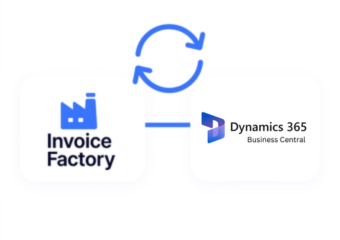
Advintek connects Microsoft Dynamics 365 Business Central sales, inventory, customer, warehouse, and accounting information with Zambia’s fiscal environment without requiring teams to abandon established ERP processes.
- Extend existing Business Central billing
- Coordinate relevant fiscal information
- Connect documents with source transactions
- Support Zambia electronic invoicing
Shape Better Zambia Billing
Connect Business Central billing with Zambia e-invoicing through Advintek.
Let your ERP remain central to everyday billing.
Ready e-Invoice System
Frequently Asked Questions Microsoft Dynamics e-Invoicing Zambia
How can Microsoft Dynamics 365 Business Central handle invoices with different delivery locations?
Businesses may invoice customers while goods are delivered to locations that differ from their registered customer address. Relevant Microsoft Dynamics 365 Business Central shipping information can be mapped separately from customer details, allowing Advintek to organize applicable fields for fiscal processing while preserving the original delivery context within the ERP.
Can Microsoft Dynamics 365 Business Central sales documents include customer-specific discounts?
Customer-specific discounts can affect the commercial values represented on a finalized sales document. Applicable Microsoft Dynamics 365 Business Central pricing and discount information can be considered during mapping so the resulting fiscal information reflects the finalized transaction. Advintek provides the processing connection without requiring businesses to recreate pricing calculations separately.
What happens if a Microsoft Dynamics 365 Business Central invoice contains an invalid customer record?
An incomplete or unsuitable customer record can create a data issue before fiscal processing begins. Businesses can establish validation checks for required information within the integration. Advintek can identify applicable data conditions before transmission, helping teams address source-record issues rather than discovering them only after submission.
Can Business Central support invoices for projects and project-related services?
Project-based activity can involve service descriptions, quantities, resources, and customer billing information maintained through Microsoft Dynamics 365 Business Central. Where applicable records form a qualifying invoice transaction, relevant project billing information can enter the connected fiscal workflow. Advintek can organize the required data while preserving links to the originating project activity.
How can businesses distinguish original invoices from later adjustments?
Clear document references and transaction relationships can help distinguish an original invoice from subsequent billing changes. Microsoft Dynamics 365 Business Central records can provide the underlying document history, while Advintek can carry relevant references through fiscal processing. This gives finance teams useful context when reviewing adjustments, corrections, or related electronic documents.