

Compliance That Fits Microsoft Dynamics Users
Microsoft Dynamics UAE FTA E-Invoicing Complete User Guide
How Microsoft Dynamics 365 Data Reaches Zambia
- Business Records Assessed: Relevant sales, customer, order, product, financial, and operational transactions are identified within Microsoft Dynamics 365.
- Source Details Collected: Applicable transaction information is gathered from the appropriate Microsoft Dynamics 365 business records.
- Invoice Information Arranged: Selected data is organized into structured electronic invoice information for fiscal processing.
- Zambia Exchange Initiated: Prepared information moves through Advintek toward the applicable Zambia electronic invoicing environment.
- Fiscal Responses Captured: Available processing results and document information can return through the connected workflow.
- Invoice Records Maintained: Processed electronic invoice details remain available within the connected system for organized business and compliance records.
How Advintek Connects Microsoft Dynamics 365
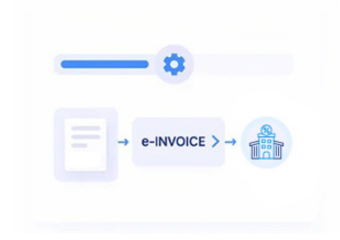
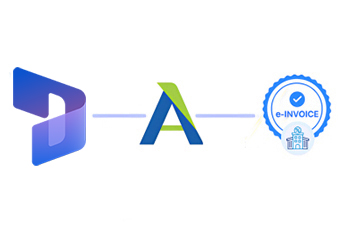
Advintek connects Microsoft Dynamics 365 business operations with Zambia’s electronic invoicing environment, creating a technical route for organizing qualifying transactions and supporting structured fiscal document processing.
- Maps relevant Microsoft Dynamics 365 information
- Connects business transactions with fiscal workflows
- Exchanges applicable electronic documents
- Returns available processing information
Why Microsoft Dynamics 365 Data Matters
- Sales Records Establish Context: Sales information can explain the commercial activity behind transactions entering electronic fiscal processing.
- Customer Profiles Reduce Duplication: Existing customer information can support consistent invoice references across connected business workflows.
- Product Details Strengthen Identification: Product records can clarify goods or services represented within applicable electronic documents.
- Order History Adds Visibility: Historical order information can help teams understand how commercial transactions developed before invoicing.
- Financial Records Support Reconciliation: Accounting information can provide useful references when comparing fiscal documents with business transactions.
- Tax Details Improve Accuracy: Relevant tax information can help ensure invoice records contain appropriate fiscal details for electronic processing.
Everything You Need for Zambia E-Invoicing in One Place
Error Detection and Resolution
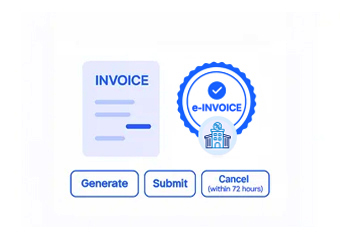
Map applicable Microsoft Dynamics 365 information into structured Zambia fiscal invoice workflows.
Dashboard and Reporting
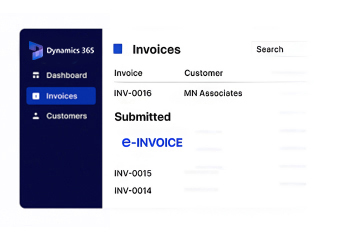
Associate fiscal documents with originating Microsoft Dynamics 365 business transactions and records.
Dedicated e-Invoicing Support
Connect available fiscal responses with corresponding Microsoft Dynamics 365 business records for review.
Built For Microsoft Dynamics 365 Operations
Advintek connects Microsoft Dynamics 365 business activity with Zambia’s electronic invoicing environment while supporting established sales, finance, customer, order, product, and operational processes.
- Connect business activity with fiscal processing
- Organize qualifying transaction information
- Link documents with Microsoft Dynamics records
- Support structured electronic invoicing
Across Zambia Business Operations
Connect Microsoft Dynamics 365 with Zambia e-invoicing through Advintek.
Maintain established workflows throughout business operations.
Ready e-Invoice System
Frequently Asked Questions Microsoft Dynamics E-Invoicing Zambia
Can Microsoft Dynamics 365 support transactions created from different sales channels?
Businesses may capture commercial activity through multiple Microsoft Dynamics 365 channels, depending on their configured applications and processes. Applicable transaction information can be identified during integration and organized for fiscal processing. Advintek can provide the connection with Zambia’s electronic invoicing environment while preserving relevant originating business references.
How can Microsoft Dynamics 365 handle invoices containing several product categories?
A single transaction can contain different products, services, quantities, or commercial details. Relevant Microsoft Dynamics 365 line information can be mapped according to the applicable invoice structure. Advintek can organize qualifying data for fiscal processing, helping businesses maintain the relationship between individual transaction lines and the resulting electronic document.
What if a Microsoft Dynamics 365 order is cancelled before invoicing?
An order that is cancelled before becoming an applicable billing transaction may not provide the same source information as a finalized sale. Businesses can establish transaction-status rules during implementation. Advintek can use the relevant finalized Dynamics 365 records so preliminary or cancelled activity does not unnecessarily enter fiscal processing.
Can Microsoft Dynamics 365 support invoice preparation for service-based businesses?
Yes. Businesses providing services can maintain relevant customer, order, service, and financial information within Microsoft Dynamics 365. Applicable records can contribute to electronic invoice preparation when they represent qualifying billable activity. Advintek can connect the relevant information with Zambia’s fiscal environment while maintaining references to the originating business transaction.
How can companies manage fiscal processing across Microsoft Dynamics 365 applications?
Organizations using several Microsoft Dynamics 365 applications can establish which system or record provides the authoritative information for applicable transactions. Advintek can connect relevant business data with the fiscal workflow, helping coordinate invoice processing while allowing individual teams to continue using their established Microsoft Dynamics 365 applications and operational processes.