

Compliance Built Around Desktop Accounting Workflows
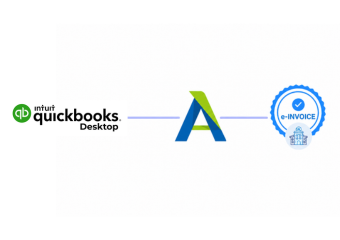
How QuickBooks Desktop Connects With Zambia
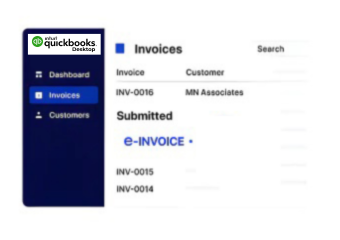
- Invoice Records Gathered: Applicable billing information is identified from configured QuickBooks Desktop accounting records.
- Transaction Details Organized: Customer, item, service, tax, and invoice information is prepared for processing.
- Data Reviewed Before Processing: Relevant information is checked according to the configured integration workflow before transmission.
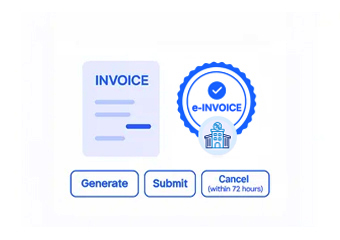
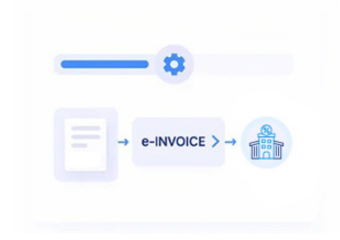
- Smart Invoice Connection: Prepared transaction information moves through the applicable certified invoicing integration and VSDC environment.
- Fiscal Information Returned: Available processing responses are received and handled within the connected transaction workflow.
- Accounting References Retained: Relevant fiscal information can remain associated with originating QuickBooks Desktop records.
What Does Advintek Add To QuickBooks Desktop
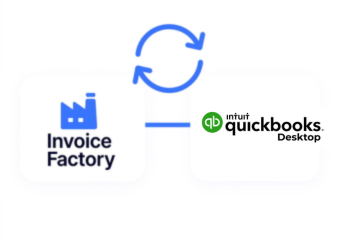
Advintek provides the connection between QuickBooks Desktop accounting activity and Zambia’s Smart Invoice environment, helping businesses coordinate fiscal processing without replacing their established desktop bookkeeping system.
- Prepares relevant desktop invoice information
- Connects accounting activity with Smart Invoice
- Organizes applicable fiscal responses
- Links electronic records with source transactions
Why Businesses Connect QuickBooks Desktop
- Preserve Existing Accounting Habits: Teams can continue using their established QuickBooks Desktop environment while relevant invoice information enters a dedicated electronic invoicing workflow.
- Reduce Repeated Data Handling: Connected processing can minimize repetitive movement of billing information between accounting records and separate fiscal invoicing environments.
- Improve Transaction Traceability: Maintaining relationships between source invoices and fiscal information can help teams understand individual transactions during accounting reviews.
- Organize Billing Information: Relevant customer, product, service, invoice, and tax information can be prepared consistently before entering the connected fiscal process.
- Support Growing Invoice Activity: A structured integration can help businesses handle increasing billing activity without requiring teams to recreate every transaction manually.
- Strengthen Accounting Visibility: Connecting fiscal processing with QuickBooks Desktop gives finance teams clearer context around invoicing activity and source records.
One Compliance Layer for Every Invoice
Invoice Error Management
Connect applicable QuickBooks Desktop billing information with the configured Zambia electronic invoicing workflow.
Compliance Dashboard
Relate applicable fiscal information to source accounting transactions for reconciliation and internal invoice review.
Regulatory Support
Coordinate QuickBooks Desktop activity with Advintek processing while preserving familiar accounting records and workflows.
Built For QuickBooks Desktop Businesses
Advintek supports businesses using QuickBooks Desktop that need their accounting records connected with Zambia’s Smart Invoice framework through an appropriate certified invoicing approach.
- Maintain familiar desktop accounting processes
- Connect relevant billing information
- Support Smart Invoice workflows
- Preserve source transaction references
Start Your Smart Invoice Journey
Connect your desktop accounting workflow with Advintek for Zambia e-invoicing processing.
Create a more connected fiscal workflow today.
Ready e-Invoice System
Frequently Asked Questions QuickBooks Desktop e-Invoicing Zambia
What role can QuickBooks Desktop play in a Zambia invoicing setup?
QuickBooks Desktop can continue serving as the business’s accounting and billing environment while relevant transaction information is connected with an appropriate certified invoicing system. This allows businesses to preserve established desktop accounting practices while establishing a structured route toward Zambia’s Smart Invoice requirements.
Can older QuickBooks Desktop records be included during integration?
Integration planning can determine which existing records should participate in the connected workflow and which should remain historical accounting information. Businesses can establish rules around relevant invoice periods, transaction types, and required information rather than automatically transferring every record stored within their QuickBooks Desktop company file.
How are customer and item lists handled during implementation?
The integration can be configured around the customer, product, service, and transaction information maintained within QuickBooks Desktop. Relevant records can be mapped according to the selected invoicing workflow, helping businesses establish consistent relationships between accounting information and the data required for electronic fiscal processing.
What technical connection is used for accounting packages in Zambia?
ZRA’s Smart Invoice framework provides a certified invoicing-system approach for taxpayers using accounting packages. The Virtual Sales Data Controller functions as the connection point between the certified system and Smart Invoice, making the selected certified integration architecture an important part of implementation planning.
How can businesses prepare QuickBooks Desktop before integration?
Businesses should review their invoice fields, customer records, product or service information, tax configuration, and transaction processes before implementation. Establishing which information needs to participate in fiscal processing helps create a cleaner integration and highlights data areas that may require attention before the connection becomes operational.