

Compliance That Fits Pronto ERP Users
How PRONTO Connects With Smart Invoice
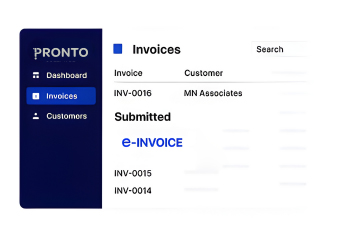
- Business Activity Identified: Relevant PRONTO sales, customer, product, tax, and financial information is selected for invoice processing.
- Transaction Information Gathered: Applicable details are collected from PRONTO records and prepared for the connected workflow.
- Invoice Data Structured: Advintek organizes selected information into structured electronic invoice data for Zambia processing.
- Fiscal Document Routed: Prepared invoice information moves through the Advintek connection toward the Smart Invoice environment.
- Processing Updates Returned: Available fiscal responses and document information can return through connected business workflows.
- PRONTO References Retained: Relevant source identifiers can remain linked with processed fiscal documents for future review.
How Advintek Extends PRONTO Business And Finance
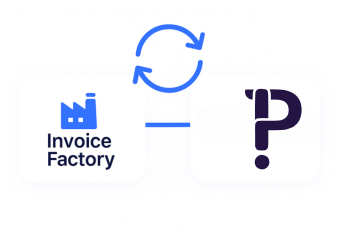
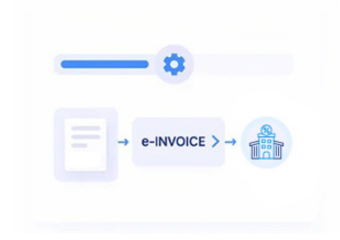
Advintek connects PRONTO business operations with Zambia’s Smart Invoice environment, providing a dedicated route for preparing, exchanging, and tracking applicable fiscal invoice information.
- Connects PRONTO records with Smart Invoice
- Organizes relevant business transaction data
- Routes structured fiscal documents
- Returns available processing information
Why PRONTO Users Benefit From Invoicing Automation
- Business Transactions Structure: PRONTO transaction information can provide a source for preparing fiscal documents from established business activity.
- Financial Records Connect: Relevant finance information can remain associated with invoice processing, helping teams relate documents to their originating transactions.
- Customer Details Support: Existing customer records can provide important invoice information without requiring teams to maintain separate customer data for every fiscal workflow.
- Product Information Contextualizes: Products and services recorded within PRONTO can contribute relevant descriptions, quantities, and transaction details to electronic invoice preparation.
- Tax Data Supports: Applicable tax information can be incorporated from business records before invoice information enters the connected fiscal workflow.
- Reviews Become Organized: Links between PRONTO transactions and fiscal documents can help teams investigate records, reconcile activity, and review invoice history.
Everything You Need for Zambia E-Invoicing in One Place
Live Validation Control
Map applicable PRONTO business and finance information into the connected Zambia fiscal workflow.
Centralized Monitoring View
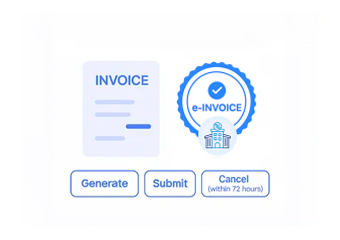
Send relevant transaction information through Advintek for structured Smart Invoice processing.
Continuous Compliance Support
Capture available fiscal responses and connect relevant document information with PRONTO business workflows.
How PRONTO Supports Zambia Business Operations
Advintek connects PRONTO business and financial activity with Zambia’s Smart Invoice environment, helping organizations coordinate customer, product, transaction, tax, and invoice information.
- Extend existing PRONTO business processes
- Connect financial activity with Smart Invoice
- Organize fiscal information through Advintek
- Maintain links to source transactions
Connect Business Finance With Smart Invoice
Connect PRONTO with Advintek to organize Zambia fiscal invoice processing.
Support compliant invoicing across established workflows.
Ready e-Invoice System
Frequently Asked Questions Pronto ERP E-Invoicing Zambia
Can PRONTO support invoices created from different sales processes?
Yes. Applicable sales transactions from PRONTO can be connected with Advintek for Zambia fiscal processing. The integration can identify relevant transaction information, organize the required invoice data, and route it through the connected Smart Invoice workflow while allowing PRONTO to remain part of the organization’s established business process.
Can businesses separate invoice information by branch or operating location?
Where PRONTO contains relevant organizational or location information, applicable references can be incorporated into the connected invoice workflow. Advintek can use suitable source information when preparing fiscal documents, helping organizations distinguish transactions associated with different operational locations and maintain clearer records for subsequent business review.
How can PRONTO support invoices containing several products or services?
Relevant PRONTO transaction lines can provide product or service information for electronic invoice preparation. Advintek can organize applicable line-level information into the connected fiscal workflow, helping preserve the commercial details behind a transaction rather than requiring finance personnel to recreate each item manually in a separate process.
Can businesses use PRONTO records when investigating rejected fiscal documents?
Available processing responses can be routed back through the connected workflow for review. When a document requires investigation, relevant PRONTO transaction references can help personnel locate the originating business record, compare source information with fiscal processing details, and determine what follow-up action may be appropriate.
What role does Advintek play when PRONTO is already managing invoicing?
PRONTO can continue supporting the organization’s business and financial processes while Advintek provides the specialized connection to Zambia’s fiscal invoicing environment. This separates everyday business management from the technical requirements of electronic fiscal processing and creates a structured route between PRONTO records and Smart Invoice activity.