

Compliance That Fits Affinity Legal ERP Users
How Affinity Connects With Smart Invoice
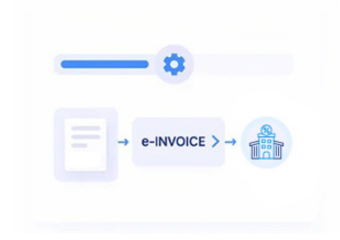
- Billing Records Identified: Applicable Affinity billing information is selected for Zambia fiscal processing.
- Matter Data Gathered: Client, matter, service, time, expense, and invoice information is collected.
- Invoice Fields Mapped: Relevant legal-practice information is organized into the connected electronic document structure.
- Fiscal Document Prepared: Mapped billing information is prepared for the applicable Smart Invoice workflow.
- Processing Responses Returned: Available fiscal responses can return through the integration for review and follow-up.
- Practice References Retained: Relevant fiscal information can remain associated with originating Affinity billing records.
What Advintek Adds To Dye & Durham Affinity
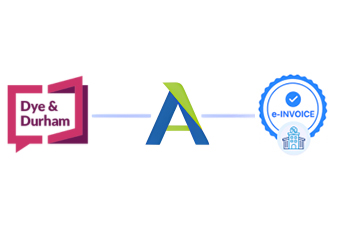
Advintek creates a fiscal-processing layer around Dye & Durham Affinity, connecting applicable legal billing information with Zambia’s Smart Invoice environment while allowing practices to continue managing matters and client work through their established platform.
- Connects legal billing with fiscal workflows
- Maps relevant practice billing information
- Structures applicable electronic invoice documentation
- Provides visibility into processing responses
Why Legal Practices Choose Dye & Durham Affinity Integration
- Matter Billing Connected: Applicable billing information can remain associated with legal matters, giving practices context when fiscal documents are reviewed.
- Client Information Organized: Relevant client and billing details can accompany invoice information, helping practices maintain clearer relationships between clients and documents.
- Time Billing Structured: Billable time information can provide detail for invoices generated from professional legal services and matter-related work.
- Disbursement Details Traceable: Applicable disbursements and expenses can remain connected with billing records, helping practices understand components of client invoices.
- Legal Services Identified: Descriptions of applicable legal services can contribute to structured invoice information, providing context around professional work represented.
Everything You Need for Zambia E-Invoicing in One Place
Real-Time Validation Feedback
Review relevant legal billing information before fiscal processing to identify incomplete or unsuitable invoice data.
Centralized Legal Dashboard
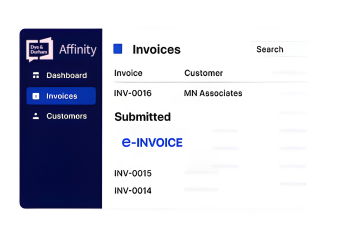
Follow available document responses as Affinity billing information moves through the connected Smart Invoice workflow.
Continuous Compliance Support
Maintain relationships between legal billing records and fiscal documents for reconciliation and operational review.
Built For Dye & Durham Affinity Legal Practices In Zambia
Advintek helps Dye & Durham Affinity users connect legal billing operations with applicable Zambia Smart Invoice processes while preserving established practice-management workflows.
- Continue managing matters through Affinity
- Prepare legal billing for fiscal processing
- Maintain client and matter references
- Review available fiscal responses
Connect Your Legal Billing With Smart Invoice
Advintek links Affinity billing information with Zambia’s e-invoicing environment.
Affinity manages legal practice records. Advintek supports fiscal processing.
Ready e-Invoice System
Frequently Asked Questions Affinity Legal ERP E-Invoicing Zambia
Can Affinity billing cover invoices for several legal matters?
Yes. Where Affinity maintains billing information across multiple matters, applicable invoice records can be included within the connected fiscal workflow. Advintek can establish appropriate mappings so client, matter, service, and billing references remain organized when relevant legal invoices are prepared for Zambia electronic invoicing.
How can trust or client account information be treated during integration?
Client account information requires careful consideration because not every financial record necessarily represents an invoiceable transaction. Advintek can review the Affinity workflow and distinguish relevant billing information from other practice records, helping ensure only applicable data enters the connected Zambia fiscal processing process.
Can Affinity invoices include multiple legal fee categories?
Yes. Legal practices may bill different professional services within one client invoice. Advintek can assess how applicable fee categories are represented in Affinity and map the relevant information into the electronic document structure, helping preserve meaningful billing detail during Zambia fiscal processing.
How are write-offs reflected in an Affinity billing workflow?
Write-offs can alter the relationship between recorded work and the amount ultimately billed to a client. Advintek can review the practice’s Affinity billing rules and determine how applicable adjustments should be represented within the integration, maintaining appropriate references between source records and fiscal documentation.
Can Affinity retain fiscal references for later matter review?
Relevant fiscal references can be associated with originating billing or matter information where the integration supports those relationships. Advintek can help establish this connection so legal practices have a clearer reference between Affinity records and available electronic documents during later reconciliation or matter-level review.