

Compliance That Scales With Enterprise Accounting
How QuickBooks Enterprise Connects With Zambia
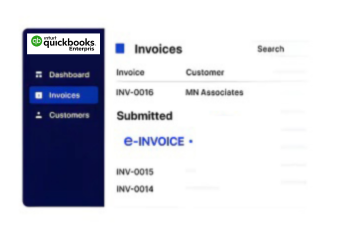
- Enterprise Records Identified: Applicable invoices and billing transactions are selected from configured QuickBooks Enterprise workflows.
- Business Data Prepared: Customer, item, service, tax, and transaction information is organized for processing.
- Information Quality Reviewed: Configured checks help identify relevant data issues before the fiscal connection is used.
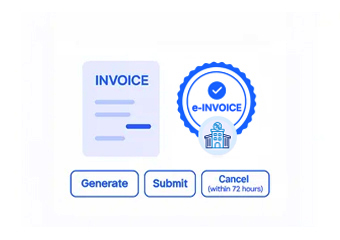
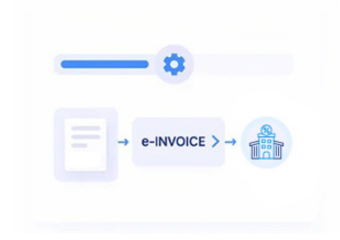
- Smart Invoice Connected: Prepared information moves through the applicable certified invoicing system and VSDC environment.
- Fiscal Results Returned: Available information from the fiscal process is received for appropriate transaction handling.
- Enterprise Records Referenced: Relevant fiscal information can remain associated with originating accounting transactions.
What Does Advintek Add To QuickBooks Enterprise
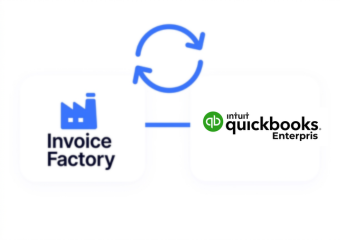
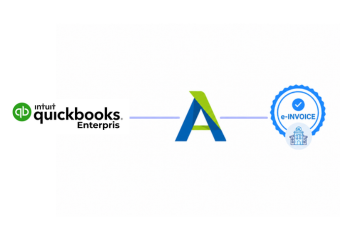
Advintek provides an integration layer between QuickBooks Enterprise and Zambia’s Smart Invoice environment, helping larger businesses coordinate accounting information with electronic invoicing while retaining their established enterprise accounting processes.
- Connects enterprise billing information
- Coordinates Smart Invoice processing
- Handles applicable fiscal responses
- Maintains transaction-level accounting references
Why QuickBooks Enterprise Teams Choose Advintek
- Support for Complex Billing: QuickBooks Enterprise can continue handling detailed accounting activity while relevant invoices follow a structured route into the connected fiscal workflow.
- Centralized Transaction Coordination: Businesses can organize invoice information from different accounting activities through a consistent connection with the electronic invoicing environment.
- Stronger Record Relationships: Associating fiscal information with source transactions can help finance teams investigate invoices across larger accounting operations.
- Reduced Manual Reconciliation: Connected information flows can reduce repeated data movement between enterprise accounting records and electronic invoicing processes.
- Flexible Business Structures: The integration can be configured around applicable enterprise entities, departments, and accounting workflows without requiring a complete change to existing operations.
- Clearer Fiscal Oversight: Connecting accounting activity with fiscal processing gives enterprise finance teams greater visibility into relevant electronic invoice transactions.
One Compliance Layer Across Enterprise Billing
Error Management
Organize detailed QuickBooks Enterprise billing information for the configured Zambia electronic invoicing workflow.
Processing Visibility
Associate applicable fiscal information with relevant entity and accounting transactions for clearer internal review.
Compliance Support
Connect enterprise accounting activity with Advintek while preserving established QuickBooks Enterprise processes and records.
Built For QuickBooks Enterprise Businesses
Advintek supports larger businesses using QuickBooks Enterprise that need their accounting environment connected with Zambia’s Smart Invoice framework through an appropriate certified invoicing approach.
- Manage established enterprise accounting workflows
- Coordinate complex billing information
- Connect transactions with Smart Invoice
- Maintain useful fiscal references
Connect QuickBooks Enterprise With Smart Invoice
Give your enterprise accounting environment a structured route toward Zambia invoicing through Advintek.
Support larger billing operations with connected fiscal processing.
Ready e-Invoice System
Frequently Asked Questions QuickBooks Enterprise e-Invoicing Zambia
Can QuickBooks Enterprise support businesses with multiple company files?
A connected implementation can be designed around the business’s QuickBooks Enterprise environment and the accounting structures that need to participate in fiscal processing. During implementation, the relevant company files, transaction sources, and information flows can be assessed so the integration reflects the organization’s actual operating model.
How can large invoice volumes be handled from QuickBooks Enterprise?
The integration can be structured to process relevant transaction information from enterprise accounting workflows rather than requiring finance teams to recreate invoices separately. Processing design can account for transaction volumes, data flows, validation requirements, and the business’s operational setup when establishing the connection with the Zambia fiscal environment.
Can different departments retain their existing billing processes?
Yes. Different departments can continue following their established QuickBooks Enterprise procedures while relevant invoice information is brought into the configured fiscal workflow. The integration can be structured around departmental data sources and transaction rules, helping organizations maintain operational distinctions while creating a consistent route toward electronic invoicing.
What should enterprise businesses review before Smart Invoice integration?
Organizations should assess their accounting structure, invoice data, customer records, tax information, transaction volumes, and existing system connections before implementation. ZRA’s framework also makes the certified invoicing system and VSDC connection important considerations for taxpayers using accounting packages or ERP systems.
Can fiscal invoice information be connected back to enterprise accounting records?
A configured integration can maintain relationships between originating QuickBooks Enterprise transactions and relevant information returned through fiscal processing. This can give finance teams a useful reference when reconciling records, reviewing invoice activity, or investigating transactions across larger accounting operations without losing the original accounting context.