

Compliance That Fits Microsoft Dynamics 365 Commerce Users
How Microsoft Dynamics 365 Commerce Supports Zambia Invoicing
- Retail Transactions Selected: Completed Commerce transactions are identified according to applicable invoicing requirements and business rules.
- Sales Information Reviewed: Order, customer, product, quantity, pricing, discount, and tax information is evaluated for processing.
- Fiscal Fields Prepared: Relevant Commerce information is organized into the fields required for the connected fiscal workflow.
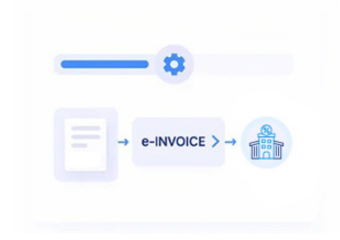
- Invoice Data Submitted: Prepared transaction information is transferred through the applicable Advintek connection toward Zambia’s Smart Invoice environment.
- Fiscal Results Returned: Available Smart Invoice responses and processing information can be returned to the connected workflow.
- Commerce References Preserved: Relevant transaction identifiers can remain associated with fiscal documents for reconciliation and internal review.
What Advintek Adds To Microsoft Dynamics 365 Commerce
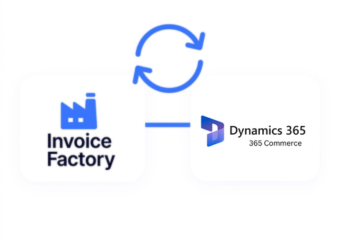
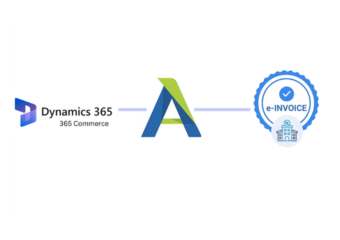
Advintek creates a dedicated fiscal processing layer around Dynamics 365 Commerce, helping retailers connect completed sales information with Zambia’s Smart Invoice environment without making the commerce platform their fiscal processing system.
- Connects Commerce transactions with Smart Invoice
- Organizes retail information for fiscal processing
- Supports structured electronic invoice workflows
- Links fiscal activity with sales records
Why Microsoft Dynamics 365 Commerce Teams Trust Advintek
- Retail Transactions Gain Fiscal Context: Dynamics 365 Commerce can continue managing storefront transactions while Advintek organizes relevant sales information for Zambia’s fiscal invoicing workflow.
- Product Information Remains Useful: Existing Commerce catalog information can provide transaction-level detail when products and quantities become part of fiscal documentation.
- Promotional Sales Stay Understandable: Discounts and promotional adjustments can remain associated with the underlying transaction, helping teams interpret fiscal documents alongside retail activity.
- Customer Journeys Stay Connected: Applicable customer information can remain related to the transaction that generated the fiscal document, supporting clearer post-sale review.
- Omnichannel Activity Gains Structure: Commerce transactions from applicable selling channels can enter an organized fiscal workflow while maintaining their originating transaction context.
Complete Control Over Zambia E-Invoicing Workflows in One Platform
Error Detection and Resolution Support
Organize applicable Commerce transaction information before it enters the connected Smart Invoice workflow.
Dashboard and Reporting
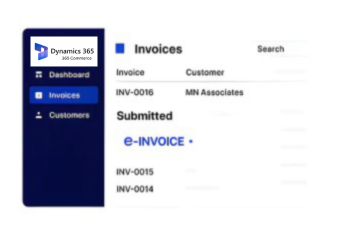
Review available processing information and responses associated with submitted retail invoice transactions.
Dedicated e-Invoicing Support
Maintain useful relationships between Commerce sales activity and associated fiscal documentation for later review.
Built For Microsoft Dynamics 365 Commerce Retailers In Zambia
Advintek connects Dynamics 365 Commerce retail operations with Zambia’s Smart Invoice environment, helping businesses coordinate fiscal invoicing around their existing commerce transactions and sales processes.
- Continue managing retail sales in Commerce
- Prepare applicable transactions for Smart Invoice
- Retain useful order and product references
- Review fiscal processing alongside sales activity
Connect Retail Sales With Smart Invoice
Advintek connects Commerce sales with Zambia’s fiscal invoicing workflow.
Keep retail operations centered in Microsoft Dynamics 365 Commerce.
Ready e-Invoice System
Frequently Asked Questions Microsoft Dynamics e-Invoicing Zambia
Can Microsoft Dynamics 365 Commerce support invoices for in-store and online sales?
Yes. Applicable Microsoft Dynamics 365 Commerce transactions from supported retail channels can provide information for fiscal invoice preparation. Advintek can organize relevant sales details and connect them with Zambia’s Smart Invoice workflow, allowing businesses to maintain a relationship between their commerce activity and fiscal documentation.
How can Microsoft Dynamics 365 Commerce product variants affect fiscal invoice data?
Product variants such as size, colour, model, or other catalog attributes may provide useful transaction context, while the fiscal document should contain applicable item information. Advintek can help map relevant Commerce product and transaction fields into the connected Zambia invoicing workflow.
Can Microsoft Dynamics 365 Commerce discounts be included in fiscal processing?
Applicable discounts can be considered when transaction information is prepared for fiscal processing. The integration can use relevant Microsoft Dynamics 365 Commerce order information, including promotional adjustments, so the resulting fiscal documentation reflects the transaction details appropriately while retaining the original Commerce record for operational reference.
What happens when a Microsoft Dynamics 365 Commerce transaction is cancelled after processing?
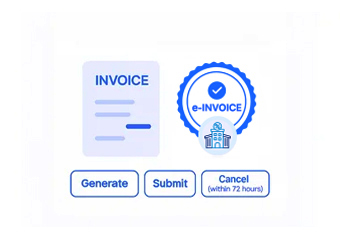
A cancellation should be handled according to the applicable fiscal workflow and the status of the original transaction. Advintek can help maintain the relationship between Microsoft Dynamics 365 Commerce records and available fiscal processing information, giving retail teams clearer visibility when reviewing changed or cancelled transactions.
How does VSDC relate to Microsoft Dynamics 365 Commerce integration in Zambia?
ZRA identifies Certified Invoicing Systems as an option for taxpayers using accounting packages or ERP systems, with VSDC serving as the bridge to Smart Invoice. Advintek can provide the integration layer connecting applicable Microsoft Dynamics 365 Commerce information with this fiscal processing environment.