

Compliance That Fits Affinity CRM Users
How Affinity CRM Supports Zambia Invoicing
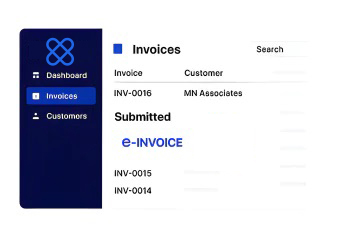
- Billable Activity Identified: Relevant customer and commercial activity is selected from Affinity CRM records.
- Customer Information Gathered: Applicable account, contact, service, and transaction details are collected.
- Invoice Data Organized: Selected CRM information is arranged for electronic invoice preparation.
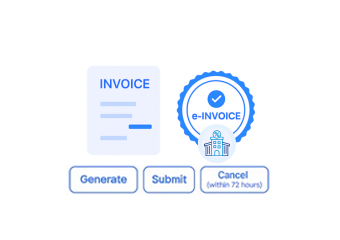
- Fiscal Processing Initiated: Prepared invoice information enters the connected Zambia fiscal workflow.
- Processing Results Returned: Available fiscal responses and document information can return through Advintek.
- Customer References Linked: Relevant fiscal details can remain associated with originating CRM records.
How Advintek Extends Affinity CRM
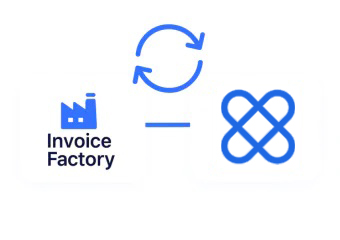
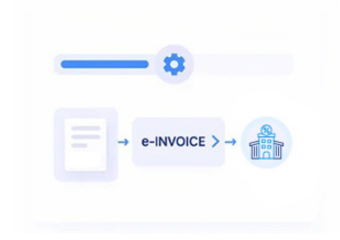
Advintek connects Affinity CRM customer-management information with Zambia’s electronic invoicing environment, creating a dedicated route for organizing applicable billing data and supporting connected fiscal document processing.
- Connects customer records with fiscal workflows
- Organizes applicable CRM billing information
- Coordinates electronic invoice processing
- Returns available fiscal response details
Why Affinity CRM Helps Customer Invoicing
- Customer Records Support: Affinity CRM data can provide useful context for invoices and established client relationships.
- Account Histories Inform: Relevant account histories can provide context when reviewing billing activity alongside previous customer interactions and records.
- Sales Activity Advances: Applicable sales information can identify commercial activity progressing toward invoicing and subsequent fiscal documentation records.
- Service Interactions Explain: Recorded service interactions can explain relationships behind billing transactions and provide additional invoice review context.
- Contact Details Assist: Existing contact information can provide customer references during invoice preparation using established CRM data directly.
Everything You Need for Zambia E-Invoicing in One Place
Real-Time Issue Resolution
Organize relevant Affinity CRM customer information for connected Zambia electronic invoice processing workflows.
Centralized Billing Insights
Associate applicable fiscal documents with corresponding customer accounts and CRM transaction references.
Continuous Compliance Support
Connect available processing information with originating customer records for clearer invoice activity visibility.
Designed For Affinity CRM Users In Zambia
Advintek extends Affinity CRM customer-management workflows into Zambia’s electronic invoicing environment, helping businesses connect client information and applicable billing activity with structured fiscal document processing.
- Connect customer activity with fiscal workflows
- Organize applicable account information
- Associate invoices with CRM records
- Support connected electronic processing
For Zambia e-Invoicing Integration
Connect Affinity CRM customer data with Zambia e-invoicing through Advintek.
Support organized fiscal processing across client workflows.
Ready e-Invoice System
Frequently Asked Questions Affinity CRM E-Invoicing Zambia
Which customer information should businesses review before connecting Affinity CRM?
Businesses should review the customer and account information that will contribute to applicable invoice records, including relevant identification, business, and contact details. Advintek can help organize suitable Affinity CRM information for the connected Zambia fiscal workflow, supporting cleaner data movement between customer records and electronic invoicing processes.
Could CRM activities help identify invoices requiring fiscal processing?
Relevant CRM activities can provide useful signals when customer engagements progress into billable transactions. Businesses can determine which records should enter the fiscal workflow according to their configured processes. Advintek can connect applicable Affinity CRM activity with invoice processing while maintaining relationships with originating customer records.
Where can teams trace an electronic document back to a client relationship?
Teams can use connected customer, account, and transaction references to relate fiscal documentation to the underlying Affinity CRM relationship. Advintek can maintain applicable source references within the integration workflow, helping users understand which customer activity contributed to an electronic invoice during later operational or financial review.
What CRM information can help distinguish recurring client engagements?
Recurring customer engagements may contain repeated account or service information that helps identify ongoing commercial relationships. Applicable Affinity CRM records can provide useful context for invoice preparation, while Advintek can connect qualifying billing information with Zambia fiscal processing and preserve relevant customer references for continued transaction visibility.
Why is customer-data synchronization useful for Affinity CRM invoicing?
Keeping applicable customer information aligned can reduce inconsistencies between CRM records and electronic invoice data. Advintek provides a connection between Affinity CRM and Zambia’s fiscal invoicing environment, helping businesses organize relevant customer details while continuing to manage client relationships within their established CRM workflow.