

Connect QuickBooks With Zambia
Get Started
Smart Invoice Processing
Compliance That Fits QuickBooks Users
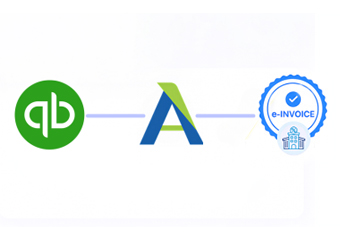
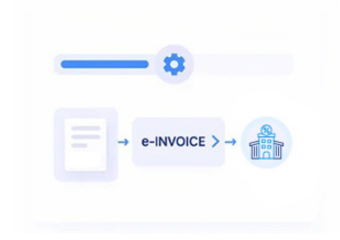
How QuickBooks Connects With Smart Invoice
- QuickBooks Records Selected: Applicable invoices and transaction information are identified from configured QuickBooks accounting workflows.
- Transaction Information Validated: Configured checks help identify relevant data issues before the information enters the fiscal workflow.
- Smart Invoice Connected: Prepared transaction information is exchanged through the applicable certified invoicing integration and VSDC connection.
- Fiscal Responses Received: Information returned from Smart Invoice can be captured for the connected transaction workflow.
- QuickBooks References Maintained: Applicable fiscal information can remain associated with originating accounting records for review and reconciliation.
What Does Advintek Add To QuickBooks
Advintek provides an integration layer around QuickBooks accounting data, helping businesses connect relevant invoice transactions with Zambia’s Smart Invoice environment while retaining their established bookkeeping and billing processes.
- Organizes QuickBooks invoice information
- Connects accounting records with Smart Invoice
- Handles applicable fiscal response information
- Links processed activity with source records
Why QuickBooks Users Choose Advintek
- Familiar Bookkeeping Experience: Finance teams can continue using QuickBooks for everyday accounting while relevant invoice transactions follow a separate structured fiscal processing route.
- Cleaner Data Transfer: Configured integration reduces repeated manual transfer of invoice information between QuickBooks and the electronic invoicing environment.
- Better Transaction Matching: Source accounting records can remain associated with applicable fiscal information, helping teams identify the relationship between invoices and processed transactions.
- Easier Process Monitoring: Connected processing provides a clearer way to follow relevant invoice activity as information moves between accounting and fiscal systems.
- Flexible Integration Architecture: Advintek can provide an integration approach around existing QuickBooks processes, helping businesses connect their accounting environment without rebuilding their core bookkeeping workflow.
Everything You Need for Zambia E-Invoicing in One Place
Error Detection and Resolution Support
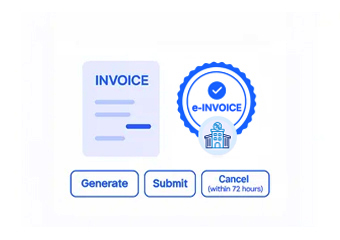
Prepare relevant QuickBooks billing information for the configured electronic invoicing and Smart Invoice workflow.
Dashboard and Reporting
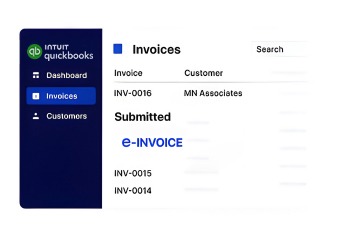
Associate applicable fiscal information with QuickBooks invoice records to support review, reconciliation, and accounting visibility.
Dedicated e-Invoicing Support
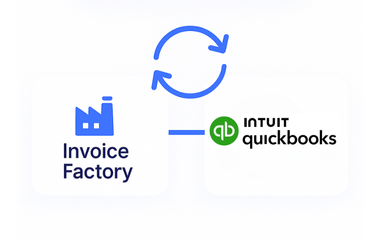
Connect QuickBooks activity with Advintek while allowing finance teams to continue using their familiar accounting processes.
Built For QuickBooks Businesses In Zambia
Advintek supports QuickBooks users who need to connect accounting activity with Zambia’s Smart Invoice framework through an appropriate certified integration approach.
- Continue familiar QuickBooks accounting workflows
- Prepare relevant invoice information
- Connect transactions with Smart Invoice
- Maintain useful accounting references
Connect With Smart Invoice
Connect QuickBooks with Advintek for Zambia e-invoicing compliance.
Simplify fiscal processing without disrupting accounting workflows.
Ready e-Invoice System
Frequently Asked Questions QuickBooks e-Invoicing Zambia
Can QuickBooks users connect their existing accounting records to Smart Invoice?
Yes. ZRA provides a certified invoicing-system route for taxpayers using accounting packages, allowing those systems to connect with Smart Invoice through VSDC. A QuickBooks-based workflow can therefore be designed around the appropriate certified integration architecture rather than requiring businesses to abandon their existing accounting environment.
What QuickBooks information is useful during implementation?
The implementation should identify the invoice and transaction fields that need to participate in fiscal processing. Depending on the business configuration, this can include customer information, invoice details, products or services, quantities, tax information, and other relevant transaction data required by the selected integration.
Can QuickBooks support businesses with both goods and services?
QuickBooks can contain different types of billing transactions, so the integration should be configured around the business’s actual sales and service processes. ZRA’s Smart Invoice technical documentation covers invoices for goods and services, allowing the connected workflow to reflect the transaction categories applicable to the taxpayer.
How does VSDC fit into a QuickBooks integration?
VSDC acts as the technical bridge between a certified invoicing system and ZRA Smart Invoice. ZRA’s integration documentation describes APIs through which third-party accounting and transactional systems can send and receive electronic transaction information through the VSDC environment.
Can QuickBooks invoice information be reviewed after Smart Invoice processing?
A properly configured integration can maintain relationships between the originating accounting transaction and relevant fiscal information returned during processing. This gives finance teams a useful reference when reviewing invoices, reconciling accounting activity, or investigating individual transactions within their broader QuickBooks workflow.